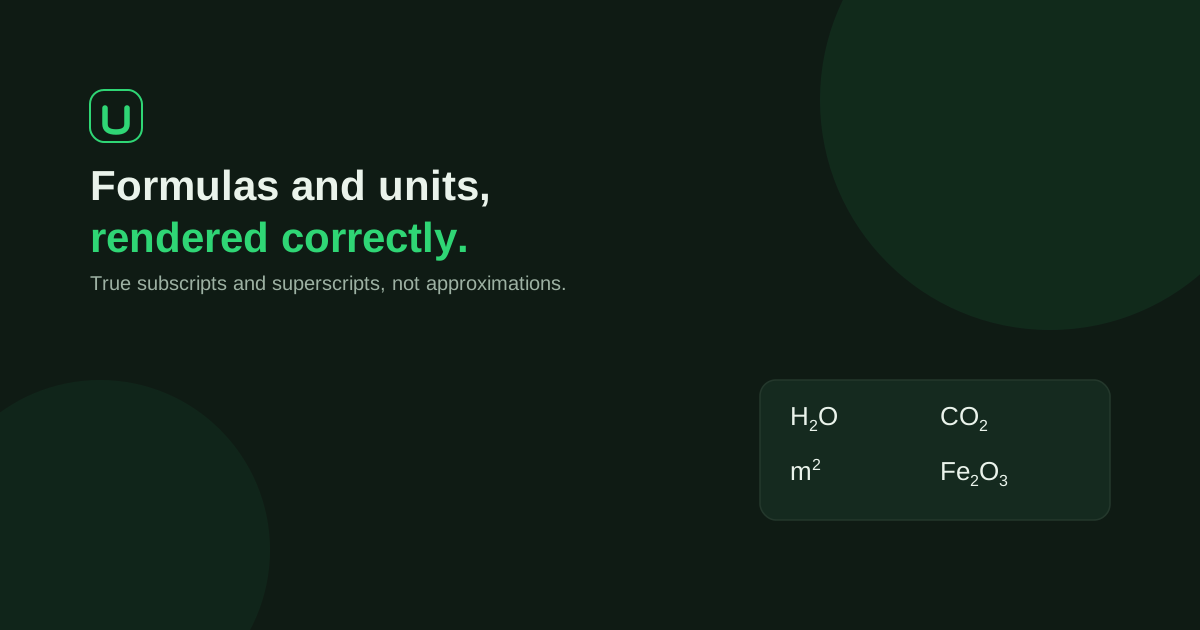
Format atom counts as subscripts and powers or ionic charges as superscripts: H₂O, m² and Al³⁺ have different marks in different positions. In Word, select the relevant characters and use the Home > Subscript or Superscript control. Then check the scientific meaning and the final exported page, not just the appearance of one formula.
Scientific notation belongs in a document built around your actual work. UniDraft helps organise the facts and instructions you confirm into an editable project report. Start your academic document with UniDraft, then check every formula, unit and exported page against your sources. It does not validate chemical results or replace the notation checks below.
Apply character formatting in Word
Type a formula in ordinary text, select only the characters that need formatting, then choose the appropriate button on the Home tab. Microsoft’s Word-specific guidance documents these controls. The Font dialog provides another route in desktop versions.
| Starting text | Characters to select | Control | Intended result |
|---|---|---|---|
| H2O | 2 | Subscript | H₂O |
| m2 | 2 | Superscript | m² |
| Al3+ | 3+ | Superscript | Al³⁺ |
| SO4 followed by 2− | 4, then 2− separately | Subscript, then Superscript | SO₄²⁻ |
These are notation illustrations, not experimental results. Check the required formula before formatting; subscript cannot turn a wrong compound into the right one.
Keyboard shortcuts depend on Word version, operating system and keyboard layout. Use the visible controls if a shortcut behaves differently. Do not assume a PowerPoint shortcut is Word’s Mac shortcut. Microsoft’s current linked page lists separate Windows and macOS sections; check the one matching your application rather than substituting modifier keys from memory.
After the formatted characters, turn the control off before typing normal text. If you remove direct character formatting, work on a copy or undo afterwards: clearing formatting may also remove intentional italics or other character styles.
Keep the meaning of each mark clear
A subscript can specify the number of atoms in a formula; a superscript can express a power or a charge. Their position changes meaning.
| Notation | What to check |
|---|---|
| H₂O | Atom-count subscript follows the relevant element |
| Ca(OH)₂ | Parentheses and following subscript apply to the group |
| Na⁺ or Cl⁻ | A unit charge uses the sign alone |
| Al³⁺ | Charge magnitude precedes its sign |
| ¹⁴C | Isotope mass number appears to the left in superscript |
| m² or s⁻¹ | Exponent belongs to the unit expression |
For isotope notation including an atomic number, or more complex chemical structures, use an appropriate equation or specialist authoring workflow and verify its meaning against your technical reference. Do not improvise a stack of raised and lowered characters without checking what it denotes.
The IUPAC Green Book resource is a technical starting point for quantities, units and symbols in physical chemistry. Consult the relevant edition and section for the notation you use. A department’s layout template does not establish whether a chemical formula or calculation is scientifically correct.
Choose text formatting or an equation object deliberately
For a short formula within an ordinary sentence, character formatting can preserve the surrounding font. More complicated mathematical expressions may need Word’s Equation tools. Microsoft’s equation guide describes that separate workflow.
Equation objects can treat letters as mathematical variables. Inspect whether element symbols have become italicised and use the appropriate normal-text setting where needed. Do not assume entering a formula into an equation box validates its chemistry.
Unicode characters such as ₂ and ² are real characters, while Word’s subscript and superscript controls apply formatting. Either can display correctly in a suitable environment, but their editing, font coverage and text-extraction behaviour differ. Choose a suitable consistent approach and test the file you will submit. The examples on this web page use Unicode for display; they are not a demonstration of your Word file’s internal formatting.
Write units and values consistently
BIPM’s concise SI summary explains number–unit spacing and symbol conventions. Apply these checks:
- Separate the numerical value and unit symbol: 5 mL, 25 °C.
- Keep unit symbols upright and do not add a plural “s”: 10 cm, not “10 cms”.
- Keep a prefix attached to its unit: mm means millimetre; spacing in a product has a different meaning.
- Preserve case: a unit or element symbol’s capitalisation is meaningful.
- Use an unambiguous concentration expression, such as mg/L or mg L⁻¹, following the relevant technical and reporting instructions.
Keep the degree sign and C together in °C. A non-breaking space between the value and unit can help avoid a line break; check the final layout. Use appropriate notation for multiplication, division and powers rather than joining symbols in a way that changes meaning.
Symbols for quantities and variables are distinct from unit symbols. If an equation uses an italic symbol for mass, the unit g after its numerical value is still upright. Define an unfamiliar symbol in context rather than expecting the reader to infer it.
Check scientific names separately
Scientific names have their own nomenclature conventions. For a genus and species name, check spelling, capitalisation and required italics against the relevant disciplinary source. For example, Escherichia coli and the abbreviation E. coli illustrate a full name and an abbreviated genus; avoid an abbreviation if it would be ambiguous.
The ICZN recommendations concern zoological nomenclature. They should not be presented as the governing code for bacteria or plants. Confirm the code and source appropriate to the organisms in your report; common names and genus/species names are different kinds of terms.
Run a whole-document notation check
Do not stop after fixing the first highlighted formula. Check each place the notation appears:
- Body paragraphs and methodology descriptions.
- Table headings, units and footnotes.
- Figure labels and captions.
- Abstract and keywords.
- Headings, contents entries and appendices.
- References containing scientific names or formulas.
Compare repeated expressions for consistent charges, subscripts and units. H₂O and H₂O₂ identify different substances; a digit is not merely decoration. Distinguish the letter O from zero and the element Co from the separate symbols C and O.
A notation check is separate from validating concentrations, balancing reactions or interpreting results. The methodology guide helps document the actual method, and the results guide helps keep reported quantities traceable to your work.
Check the file that will actually be submitted
Save a working copy before major replacements. Review the document in Word, then inspect the PDF if PDF or print is required. Look at table cells, line breaks, equation objects and captions where formatting may change during conversion. Confirm that copied text remains understandable where a repository or system strips visual formatting.
Use the free formatting checker for its supported document-formatting checks and format guides for institution-specific layout context. Neither establishes the chemical correctness of your writing. Your current project and student-confirmed instructions take precedence over a generic layout example.
Where UniDraft fits
UniDraft helps prepare an editable document from the facts and instructions you confirm. Review formulas, scientific names, values and units against your actual records and sources. Keep the same notation when applying supervisor corrections, and recheck exported pages afterwards.
Sources and scope
- Microsoft: Superscript and subscript in Word, application-specific controls and platform sections.
- Microsoft: Write an equation or formula, Equation tools.
- BIPM: Concise SI summary, number–unit and symbol conventions.
- IUPAC: Green Book, technical reference for physical-chemistry notation; consult the actual relevant section.
- ICZN: General recommendations, zoological scope only.