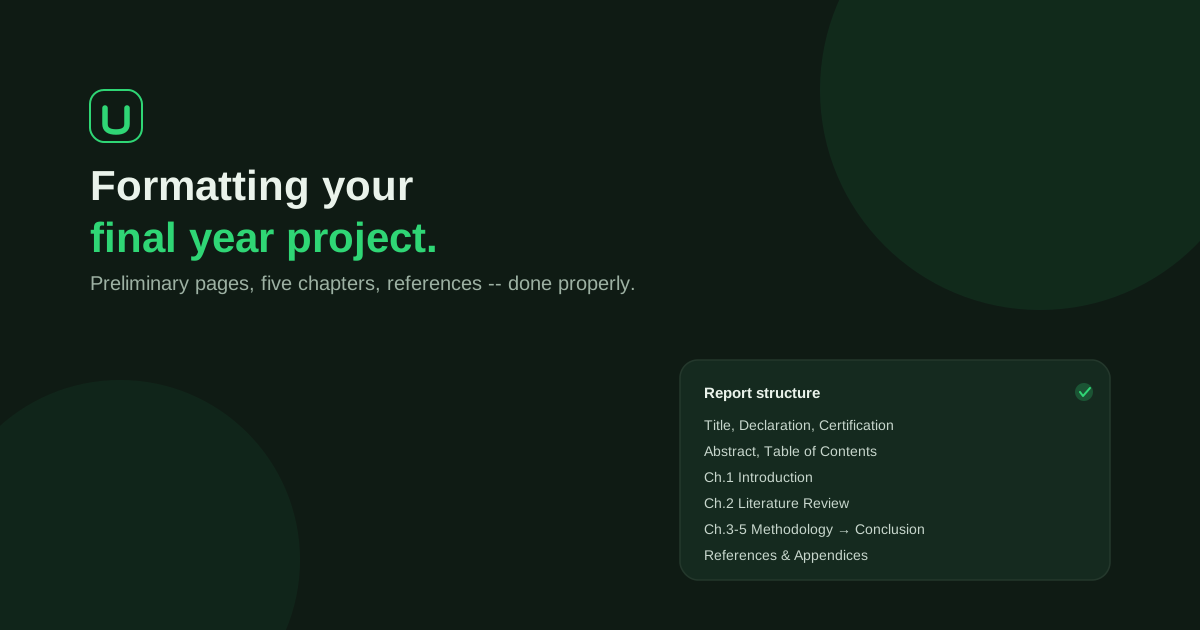
If you are staring at a blank document with a submission date circled in red, formatting is usually the easiest part to get wrong. It is not hard. The rules are just scattered across a department handout, a supervisor's comments, and whatever a friend's report from two sessions ago looked like. Nigerian universities do not share one national project format, so this guide shows you where the settings commonly differ, how to apply them in Word, and how to confirm the rules that apply to you.
Keep the rules and the writing together from the start. UniDraft helps organise your confirmed project material into an editable Word document using the instructions you supply. Start your project document, then review the final file against your actual guideline. See the project workflow; institution-specific questions belong in the format directory.
The short answer
- There is no single Nigerian format. Font, spacing, margins, page numbering, chapter breakdown and referencing style are set by your department, sometimes by your faculty or university, and finally by your supervisor.
- Follow the highest rule available. Your supervisor's instruction beats your department's handbook, which beats a university-wide baseline, which beats a generic template.
- Times New Roman 12pt at 1.5 spacing and a binding margin are possible settings. Treat it as a starting point, never as proof of what your department wants.
- Preliminary pages use Roman numerals; the main text starts at Arabic 1. You need a section break in Word to do this properly.
- Set everything once, through styles, then check the whole file. Formatting drift between chapters is what supervisors notice first.
The rule of precedence
Before you touch a font or a margin, know which rule wins when two disagree. Highest priority first:
- Direct instructions from your supervisor. If they told you something specific in a meeting or a marked-up draft, that wins over everything else. Keep the email or the annotated draft.
- Guidelines you have confirmed yourself. For example, a department officer telling you the current handbook has been updated.
- Department pattern. A lower-level pattern is a fallback; a handbook you supplied and confirmed belongs in the student-confirmed layer above it.
- Your university's general baseline. The institution-wide format, used when your department has not said anything more specific.
- A generic default. Only when nothing above exists.
Getting this order backwards is one of the commonest reasons a report bounces back. A student follows a template downloaded from a friend, the department has changed its handbook, and the whole document has to be reformatted a week before submission.
How formatting rules actually differ by university
Here is the honest picture. Nigerian institutions publish their own manuals, and the values differ. A real example: the University of Ibadan Postgraduate College's manual of style for theses and dissertations asks for Times New Roman 12 for text with headings no larger than 14, 1.5 spacing for the main body, single spacing for quotations and the reference entries, A4 paper, a left margin of 3.7 cm and 2.5 cm on the other sides, Roman numerals for the pages before Chapter 1 and Arabic numerals afterwards, centred at the bottom. That manual covers postgraduate work, so use it as an illustration of how specific a handbook can be, not as the rule for an undergraduate at any institution.
Below is a comparison of the settings students most often get wrong, what a published manual can look like, and the range you may meet elsewhere. Only the University of Ibadan column is taken from a document we have read; the next column is a warning about variation, not a list of rules.
| Setting | University of Ibadan postgraduate manual | Other values you may meet | What to check |
|---|---|---|---|
| Font | Times New Roman, 12pt | Some departments name Arial or another font, or ask for a different size | Font and size for body, headings and captions separately |
| Line spacing | 1.5 for the main text; single for quotations and references | 1.5 throughout, or double throughout | Whether tables, captions and references follow a different spacing |
| Margins | 3.7 cm left, 2.5 cm other sides | Roughly 1.5 inch left and 1 inch elsewhere; a uniform margin plus binding gutter | Whether the left margin includes binding space |
| Page numbering | Roman for front matter, Arabic from Chapter 1, bottom centre; no number shown on the title page | Top right, bottom right, or Arabic throughout | Position and whether the title page is counted |
| Reference style | Its own style sheet, with in-text references and footnotes or endnotes | APA, Harvard, IEEE or a departmental style | The named style and edition, and how many reference types are allowed |
| Chapters | Set by department | Five chapters is common; some departments add a design or testing chapter | Exact chapter titles and order |
The reference-style row is worth pausing on. If your department says "APA", ask which edition. Our complete guide to the references list covers APA, Harvard and IEEE with examples, and the APA 7 in-text citations post shows what a correct citation looks like inside a paragraph.
What the UniDraft university guides show
UniDraft publishes a directory of university format guides, and you can check whether yours is listed. Where a department's exact template is not yet in the catalogue, the guide shows a baseline: Times New Roman 12pt, 1.5 line spacing and APA. That is the case, at the time of writing, for the guides for the University of Lagos, the University of Ibadan, Ahmadu Bello University, Zaria, the University of Nigeria, Nsukka, Obafemi Awolowo University, Ile-Ife and the Federal University of Technology, Akure. Read each page’s evidence and fallback labels. A baseline is not a verified rule for every department.
Read that carefully. A baseline is a sensible default, not a claim that every department in that university uses those numbers. Margins, page numbering and chapter structure are not stated on those guides, so you still need your department's handbook for them. If you are in a different institution, browse all guides and open yours.
How to confirm your own department's rules
- Ask the project coordinator or your supervisor for the current handbook. Ask for the version for your session, because handbooks get updated.
- Look at two or three recently approved reports from your own department. Compare their margins, numbering and chapter titles with the handbook. Note where they differ and ask which one wins.
- Write down what your supervisor tells you. A one-line message, "Use double spacing, references in Harvard," is your proof if a panel member questions it later.
- Check the reference style by name and edition. "APA" alone is not enough.
- Run your draft through a checker. The free formatting checker reads a .docx and compares its font, spacing and margins with a university's rules. It does not store your file.
Standard preliminary pages
Your handbook determines preliminary pages and order. The following list describes possible page types rather than a national sequence:
- Title page. Project title, your full name and matric number, department, faculty, university, degree, and submission date.
- Declaration. A statement that the work is your own.
- Certification. Use the wording and signatory roles your actual instructions require. The certification-page field and handoff checklist helps separate preparing the page from obtaining genuine endorsements.
- Dedication. Optional, but if you include one, make it personal. A leftover placeholder is a classic embarrassment.
- Acknowledgement. See what to write in the acknowledgement for structure and examples.
- Abstract. A single page summarising the problem, method and outcome. How to write the abstract covers exactly what it must state.
- Table of Contents, List of Tables and List of Figures. Generate these from Word's heading and caption styles instead of typing them.
These pages are typically numbered in lowercase Roman numerals (i, ii, iii), switching to Arabic numbers from Chapter 1 onward. Some institutions, the University of Ibadan manual among them, do not display a number on the title page itself. Ask which convention your department follows.
The five-chapter structure
A five-chapter outline is one possible way to organise a research report. Your discipline and confirmed brief may use different sections, chapter names or ordering.
Chapter 1: Introduction
Background of the study, problem statement, aim and objectives, significance, scope and limitations. Two posts help here: how to write the introduction and how to write the problem statement. If you have not fixed your topic yet, the free topic generator can give you a starting list.
Chapter 2: Literature Review
A review of existing work, systems or theories related to your topic, ending with the gap your project addresses. See how to write the literature review for how to organise it.
Chapter 3: Methodology
How you approached the problem: research design, tools, system design for technical projects, or the data collection method. The methodology chapter guide walks through it.
Chapter 4: Implementation, Results and Discussion
What you built or found, presented with real screenshots, tables or data, never invented figures. See how to write Chapter 4.
Chapter 5: Summary, Conclusion and Recommendations
A wrap-up of what was done, what it means, and suggestions for future work. See how to write Chapter 5.
Some departments split this differently, for example a dedicated "System Design" chapter in Computer Science, or "Results and Discussion" separated from "Implementation" in Engineering. Confirm your department's exact chapter breakdown before you start writing. Restructuring five chapters after they are written costs far more time than a five-minute check.
Formatting defaults (check your department first)
These are common defaults, not universal rules. Your department's guideline or your supervisor's instruction always takes precedence over a table like this one.
| Element | Common default | Where it varies |
|---|---|---|
| Font | Times New Roman, 12pt | Heading size, caption size, code font for technical projects |
| Line spacing | 1.5 (some ask for double) | Single spacing for quotations, tables, captions and references |
| Margins | Wider left edge for binding, narrower on the other three sides | Exact widths; A4 paper is the norm |
| Alignment | Left-aligned or justified body text | Some departments specify one or the other |
| Page numbers | Roman numerals (front matter), Arabic (Chapter 1 onward) | Position, and whether the title page is numbered |
| Headings | Numbered chapter headings, consistent levels | Capitalisation style and heading size |
If your university is in our catalogue, check it on its format guide page instead of guessing from a general table.
How to apply these settings in Word
Do the setup once, at the start, so you never fix formatting by hand page by page.
1. Set the font and line spacing on the Normal style
Right-click Normal in the Styles gallery on the Home tab, choose Modify, set the font and size, then open Format > Paragraph and set the line spacing. Everything based on Normal follows. Microsoft's own guide to changing line spacing in Word shows the buttons and the Line Spacing Options dialog. Then adjust Heading 1, 2 and 3 for chapter titles and sub-headings so chapters look identical.
If your handbook wants single spacing for quotations, tables or references, create separate styles for them, or apply the spacing to those paragraphs only. Do not change spacing by pressing Enter.
2. Set the margins and the binding edge
Go to Layout > Margins > Custom Margins. Enter the top, bottom and right values from your handbook. For the binding side you have two options: make the left margin wider, or enter a value in the Gutter box with the gutter position set to Left. Microsoft explains the second option in set gutter margins. Pick one method and use it throughout. Set the paper size to A4.
3. Number the pages in two sections
This is where most students lose an evening. The steps below follow Microsoft's page on adding different page numbers or number formats to different sections:
- Place the cursor at the end of your last preliminary page, then go to Layout > Breaks > Next Page.
- Double-click the footer of the first page of Chapter 1 and switch off Link to Previous.
- Choose Insert > Page Number and pick your position, then open Format Page Numbers, select 1, 2, 3 and set Start at to 1.
- Go to the front-matter footer, open Format Page Numbers, choose i, ii, iii and start at i.
- Close the header and footer, then update your Table of Contents.
For a longer walkthrough with troubleshooting, see Roman and Arabic page numbers in a Word project.
4. Build the contents pages from styles
Apply Heading 1 to chapter titles and Heading 2 to sub-headings, use References > Insert Caption for tables and figures, then insert the Table of Contents and the lists from the References tab. Update them (right-click, Update Field) just before you save the final copy.
5. Make the reference list match your style
Whatever style your department names, keep the in-text citations and the list in sync. If you need real sources you can verify, the free citation finder gives you APA, IEEE and Harvard entries you can check before you use them.
The mistakes that actually get reports sent back
- Formatting drift. Chapter 1 is Times New Roman 12pt at 1.5 spacing, but Chapter 4 quietly shifts to single spacing because it was pasted in from another document. Fix it by pasting with "Keep Text Only" and using styles.
- Citations that do not match the reference list. An in-text citation with no entry in References, or the reverse. The references guide shows how to keep the two in sync.
- Invented or unverifiable results. Findings, figures or approvals that cannot be traced back to something you actually did or measured. Panels ask about these at the defence, so read what a project defence involves.
- Leftover placeholders. A dedication that still says "[Your Name Here]", or a department name copied from a template that is not yours.
- Wrong page numbering. Arabic numerals running through the front matter, or the Table of Contents pointing to the wrong pages because it was never updated.
- Following an old handbook. The department changed the rule this session and you formatted to last year's copy.
Already have a draft and want to test it against a guideline? The free formatting checker scans a .docx for the kind of drift described above. If your supervisor has already sent corrections, read managing final year project corrections without losing earlier work. For IT reports, submitting an IT/SIWES report that passes departmental review covers the same ground.
Pre-submission formatting checklist
- The department handbook and supervisor's instructions are the ones you formatted to, and they are current.
- Font, size and line spacing are set through styles, not by hand.
- Margins and the binding edge match the handbook and the paper size is A4.
- Preliminary pages are in the right order and use the right numbering; Chapter 1 starts at 1.
- Table of Contents, List of Tables and List of Figures are updated.
- Every table and figure has a caption and is mentioned in the text.
- Every in-text citation appears in the reference list, and the reverse.
- No placeholders remain: names, matric number, department, dedication, dates.
- The file has been scrolled through end to end for stray fonts or spacing.
Where UniDraft fits in
Formatting is where the rules pile up, and it is the part a machine should do consistently. UniDraft builds your written document as an editable Word (.docx) file around your confirmed topic and your real results. The priority is project or supervisor instructions, student-confirmed guidelines, department pattern, university baseline and platform defaults. Review all pages after generation. It is designed to use confirmed facts rather than invent results, activities, sources or approvals.
Check the current price and included correction allowance in the document workflow before payment.
- You provide the supervisor's corrections, confirm the changes UniDraft extracts, and a new version is produced. Earlier versions are kept.
- The formatting checker, citation finder, topic generator and university format guides are free and need no signup.
UniDraft does not guarantee grades or approval. Your supervisor and department decide that. Review the final file for formatting and content; deterministic rendering does not establish that a guideline was interpreted correctly.
Check figures and appendices as part of the final file
Give every necessary visual a readable label, a useful caption and a reference from the paragraph that explains it. The Word captions and lists guide distinguishes caption fields, cross-references and lists of figures from your contents page; it does not require replacing an approved contents layout. Check the final exported file as well as the editing view.
Use the appendix decision guide to separate essential findings from supporting material. Include only permitted items, use the sequence required by your handbook and ensure every reference points to the intended appendix. More attachments do not automatically make a report stronger.
Sources
For two specific preliminary-page tasks, see the project dedication guide and abbreviation-list checklist. Both start with your own instructions; neither supplies a universal page order or invented personal details.
- University of Ibadan Postgraduate College: guidelines for writing theses and dissertations (manual of style), for the example margin, font, spacing and pagination values.
- Microsoft Support: add different page numbers or number formats to different sections
- Microsoft Support: set gutter margins
- Microsoft Support: change the line spacing in Word