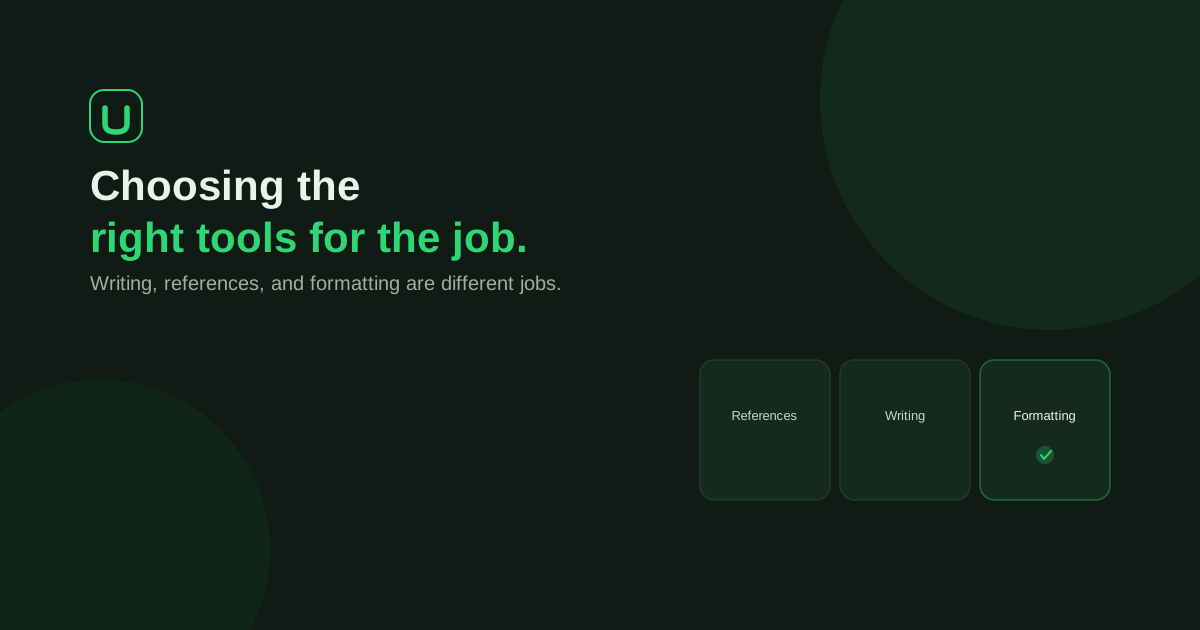
Choose by the work you need done. General AI offers flexible assistance with ideas, explanations and drafting; UniDraft provides a dedicated workflow for preparing and correcting the written academic document. Neither replaces your actual research, source verification or responsibility for the submission.
Already have the work but need to assemble the report? UniDraft helps organise your confirmed facts and instructions into an editable Word document, with a process for reviewing supervisor corrections. Start your document with UniDraft, then check the output against your evidence and current requirements.
This is UniDraft's own task-based comparison, not an independent ranking or a measured head-to-head test. General AI tools vary by provider, plan, configuration and connected tools. Do not assume every assistant lacks file access, memory, document export or version history.
Start with the task, not the label
A student who needs an explanation of a concept has a different problem from a student who has finished the research and needs a consistently organised report. A student with a completed Word draft may need only a formatting check.
| Your task | What to evaluate in a general AI workflow | What UniDraft supports |
|---|---|---|
| Explore a topic or understand a concept | Conversational help, source quality and explanations you can check | A topic shortlist tool; not a replacement for teaching or supervision |
| Prepare the written report | Required inputs, document-editing/export features and how instructions remain available | Confirmed inputs, outline review and editable Word document preparation |
| Resolve conflicting format instructions | Whether your configured process consistently applies the agreed priority | Project/supervisor, student-confirmed guidelines, department pattern, university baseline, platform default |
| Revise after supervisor comments | How changes are reviewed and earlier versions recovered | Comments supplied, extracted changes confirmed and a new version created while prior versions remain |
| Check references and factual claims | Access the original publication and verify the claim, whichever tool generated the draft | Source-discovery tools and a document workflow; student verification still required |
| Conduct a study or statistical analysis | Suitable methods, tools, permissions and independently checked results | Not performed by UniDraft; bring your actual work into the report |
A capable general AI setup plus a word processor can address several of these tasks. The practical comparison is the complete process you can follow, including reviewing the output, rather than whether one tool can generate a paragraph.
What UniDraft's workflow adds
You choose the document type and institution, supply the relevant work and guidelines, confirm the material and review the outline. The system applies formatting through deterministic document code rather than asking a language model to decide each margin or font during prose generation.
When instructions conflict, the priority is project or supervisor instructions, then student-confirmed guidelines, department pattern, university baseline and platform default. Supply the actual instructions and verify the export. A general university baseline cannot establish a department's approval.
When corrections arrive, you supply the comments and review the extracted changes before confirming them. The workflow produces a new version while keeping earlier versions. That can be useful when you need to compare the document your supervisor reviewed with its revision; it does not guarantee that every requested correction was interpreted correctly.
Choose the relevant workflow:
- IT / SIWES report: document genuine placement activities, roles and permitted evidence.
- Seminar report: organise a confirmed question, checked literature and the work your assignment requires.
- Final-year project document: connect the real question, method, implementation or study, and verified results.
A fair small-task check before paying
The following is an original fictional evaluation worksheet, not a test we conducted or a claim about either product's measured performance. Use non-confidential material you are permitted to share, and follow your institution's AI policy.
Suppose your notes describe observing a task during SIWES. They do not say you performed it independently. Your supervisor also requires a particular heading and asks you to clarify your role.
| Check | Evidence you would inspect |
|---|---|
| Role accuracy | Does the draft keep observed work distinct from work you performed? |
| Missing information | Does the process identify an unresolved fact rather than present a guessed result? |
| Applicable instruction | Is the required heading present in the exported document? |
| Source traceability | Can you locate and read every source used for a factual claim? |
| Correction review | Can you see what was requested and confirm the intended change? |
| Recovery | Can you recover the earlier reviewed version? |
| Final usability | Can you open, edit and check the actual document you will submit? |
Record what happened in your own check. Do not convert a successful small example into a guarantee for an entire report. If a tool supplies an unsupported activity or result, correct it against the genuine record; do not accept it because it sounds polished.
When a general AI tool or Word may be enough
If you want a concept explained, feedback on a paragraph or help exploring a question, a general assistant may fit that narrow task. Check factual explanations against reliable sources. If you can already apply the guideline and manage revisions in your word processor, you may prefer to prepare the document yourself.
If you already have a draft, the free formatting checker can inspect supported format properties; compare its findings with your actual instructions and manually check requirements it does not inspect. The citation finder can help locate publications, but a retrieved record does not prove a paper supports your argument.
Costs and included features vary. Compare the current plan, export options, required review and correction workflow of the tools you are considering. Check UniDraft's current document price and included rounds in the workflow before paying. No saving in hours, money or error rate has been measured by this article.
Responsibilities that stay with you
- Perform the real placement work, study, implementation or analysis. Never invent participants, results, experiments or activities.
- Verify each source and the claim it supports; inspect every figure and reference in the generated text.
- Obtain required permissions and endorsements. Do not upload restricted company, participant or patient material simply because you can access it.
- Follow the actual supervisor and institution instructions, including permitted AI use and disclosure requirements.
- Prepare the defence and any presentation. UniDraft does not create slides, recruit participants, run statistics, fill official SIWES logbooks or provide signatures and approvals.
For a practical version trail, use the supervisor-corrections guide. For the broader toolchain, see tools for a final-year project.
Choose the next step
Need to understand a concept or refine a passage? Use an appropriate tool for that task and review what it gives you. Ready to prepare the written document from confirmed work? Start with UniDraft and bring the actual evidence and instructions behind it.