Handle SIWES corrections by preserving the reviewed file, recording each requested change and checking its evidence. A comment may concern facts, structure, writing or formatting; read the actual instruction before deciding what to edit. The risk is not the correction itself: it is applying ten changes to your only file and then being unable to say what changed, or what the supervisor had approved.
Corrections should improve the report without losing the version your supervisor reviewed. With UniDraft, you supply the comments, confirm the extracted changes and receive a new editable document version while earlier versions are kept. Start your SIWES document and review the SIWES workflow; confirm the current correction allowance before checkout.
The short answer
- Freeze the reviewed version first. Save the exact file your supervisor commented on and never edit it again.
- Turn every comment into one line: where it is, what was asked, and what evidence you will add.
- Change only what was flagged. Sections that already passed should stay as they are.
- Make the logbook and the report agree. This is the correction students least expect and most often receive.
- Resubmit as a new numbered version with a short change note. Keep every earlier version.
What gets flagged most often
Most corrections fall into a handful of patterns. Knowing them means you can fix them before the second read.
- Generic company profiles. A paragraph that reads like the company's "About Us" page, with no link to your unit, team or duties. Supervisors want to know where in the organisation you sat and what that unit does.
- Vague activity descriptions. "Assisted with network tasks" invites a correction. "Configured and tested three VLANs across the accounting and sales departments" does not, because someone can check it.
- Logbook and report mismatches. If the logbook says you were cabling the server room in week 3 and the report describes something else for that week, expect a comment. Our guide on filling your SIWES logbook explains how entries should read so that the report can be built from them.
- Missing signatures or dates on the certification page from your institution-based or industry-based supervisor. The Industrial Training Fund's SIWES guidelines describe the roles of the institution and the employer in supervising and assessing your training, which is why both sign-offs matter.
- Results claimed without evidence. A statement that you "improved network speed" with no before-and-after figure, screenshot or supervisor confirmation.
- Formatting that ignores the department guideline: wrong font size, spacing, margins, or page numbering. These are cheap to fix but embarrassing to be flagged for.
- Thin conclusions. A conclusion that repeats the introduction instead of stating what you learned and what you would recommend to future students.
A worked example
The following is illustrative, not a real report. Suppose your supervisor writes: "Section 3.2 is too general. Be specific about your role."
Before:
During the attachment, I assisted the network team with different tasks and learned a lot about networking.
After (only if these things are true for you):
In weeks 3 to 5 I terminated and tested Cat6 patch cables in the server room under the network engineer, recorded 24 ports in the patch-panel register, and used a cable tester to identify two faulty runs that were replaced before the departments went live.
The second version names the weeks, the task, the supervisor's role, and the outcome. If you cannot honestly write a sentence like that, do not invent one. Go back to your logbook and rough notes, ask your industry-based supervisor to remind you, and write only what happened.
Handling corrections without losing your reviewed version
- Keep the version your supervisor already saw, untouched. Name it clearly, for example "IT-Report-v1-reviewed-12-Oct.docx", and do not open it to edit again. If your supervisor returned a printout with handwriting, photograph or scan each marked page and store it with that version.
- Apply corrections to a copy. Save as "v2" before you type anything. If a change is misunderstood, the reviewed file still exists.
- Track what changed and why. Even an informal note beside each correction ("expanded activity description in 3.2 per supervisor's comment on page 14") makes the next round faster for both of you. Word's Track Changes marks additions with an underline and deletions with a strikethrough, and you can accept or reject each one, which is useful when you hand back a marked-up copy. See Microsoft's Track Changes guide in the sources.
- Do not restructure chapters you were not asked to touch. A common mistake is using a correction round to "improve" unrelated sections. That can introduce fresh problems into parts that already passed.
- Check the ripple effects. Adding a paragraph shifts page numbers, so update the table of contents, list of figures and any cross-references. Correcting the report body may also mean correcting the abstract or the conclusion so they still match.
Turn comments into a correction log
Before you edit, copy every comment into a simple table. It takes ten minutes and prevents the "I thought I fixed that" conversation.
| # | Where | What was asked | What I will do | Evidence I have | Done |
|---|---|---|---|---|---|
| 1 | 3.2, p. 14 | Be specific about your role | Rewrite with weeks, tasks, outcomes | Logbook weeks 3 to 5 | Yes |
| 2 | Certification page | Industry supervisor signature missing | Get it signed on next visit | Original page | No |
| 3 | 2.1 | Company profile too generic | Add my unit, its function, reporting line | Notes from orientation | Yes |
| 4 | Whole report | Line spacing inconsistent | Apply one style throughout | Department guideline | Yes |
If a comment is unclear ("improve this section"), do not guess. Ask the supervisor which part, or for one example of what "better" would look like. Ambiguous comments are the main reason a second round fails.
How to read supervisor comments correctly
Different comments need different responses.
- A factual challenge ("Was this your task or the team's?") needs an honest answer and possibly a rewrite that separates what you did from what the team did.
- A missing-evidence comment needs a figure, screenshot, table, or a reference to a logbook entry.
- A structure comment ("move this to Chapter 3") is a cut-and-paste job, but check the numbering afterwards.
- A style or format comment should be fixed everywhere, not only on the page where it was marked. If one heading is wrong, others probably are.
- A comment you disagree with. Do the change if it is harmless. If it makes the report less accurate, explain politely, with your logbook as evidence, rather than silently ignoring it.
If comments conflict with each other, or with a department template, remember that the person marking your work has the final say. A supervisor's instruction should outrank a generic template, but ask, and keep the reply.
Where the logbook fits
A surprising share of corrections trace back to the logbook. Your report is meant to be a fuller account of the same training, so the two should agree on dates, duties and departments. If you discover the logbook is thin, do not back-fill entries with invented detail. Write only what you can support, and if a week is genuinely missing, say so and speak to your supervisor about how your institution handles it. Examples of well-formed entries are in these SIWES logbook examples for computer science students.
If you are still building the report from scratch, the structure in how to write a SIWES report your institution will accept helps you check the structure against your actual brief.
A realistic correction timeline
There is no universal deadline. Departments differ, so confirm yours. A workable pattern is:
| Stage | What you do | Typical effort |
|---|---|---|
| Day 0 | Receive comments, freeze v1, build the correction log | 1 hour |
| Days 1 to 3 | Gather missing evidence, get signatures | Depends on the industry supervisor |
| Days 3 to 5 | Apply changes to v2, update contents pages | 2 to 4 hours |
| Day 5 | Self-check against the log, run the formatting check | 1 hour |
| Day 6 | Return v2 with a change note | 15 minutes |
Signatures are usually the bottleneck, so ask for them as early as you can, especially if your industry-based supervisor is busy.
Common mistakes in correction rounds
- Overwriting the only copy of the reviewed file.
- Fixing the page that was marked but not the same problem elsewhere.
- Adding new claims that the logbook cannot support.
- Forgetting to update the table of contents and page numbers.
- Sending back a file without saying what changed, so the supervisor has to re-read everything.
- Ignoring a comment you found awkward and hoping it will not be noticed.
- Emailing five versions with names like "final2" and "final-final".
Before you hand it back: checklist
- The reviewed version is saved separately and unchanged.
- Every comment appears in the correction log with a status.
- Each changed section can be traced to a logbook entry or real evidence.
- No unrelated sections were rewritten.
- Table of contents, list of figures and page numbers are updated.
- Certification page has the required signatures and dates.
- The abstract and conclusion still match the corrected body.
- The file is named as a new version, with a short change note.
- Format checked against your department's guideline.
After the supervisor signs off
Do not assume you are finished. Departmental review can check different things from your supervisor. Run through our pre-submission checklist for departmental review before you submit, and use the free formatting checker to check a .docx's font, spacing and margins against your university's rules before a human reviewer does. If you are not sure which rules apply to your school, the format guides list them for available universities.
Corrections also affect how you will be assessed. Your report is one component, and knowing how SIWES is graded helps you decide which comments deserve the most effort.
Some institutions follow the report with an oral session, so it helps to read up on defending your SIWES report. Your final-year write-up will have its own review cycle later, and the same habits carry over, as covered in managing final-year project corrections.
When two supervisors want different things
Most SIWES students answer to two people: an institution-based supervisor who reads the report, and an industry-based supervisor who supervised the work. They often care about different things. The industry supervisor may correct technical accuracy or confidentiality (a company may not want internal IP addresses, client names or system diagrams in a report), while the institution supervisor corrects structure, format and evidence.
When both mark the same section, apply the technical facts from the industry supervisor and the structural instructions from the institution supervisor, then tell both what you did. If they clash, for example one wants a diagram and the other says it is confidential, ask both parties what may be disclosed and which alternative evidence is permitted. Redrawing alone does not remove confidentiality or security restrictions. Never quietly drop a section to avoid the argument.
When corrections are slow or arrive late
Supervisors are busy, and comments sometimes come days before a deadline. Three things help. First, send a complete v1 rather than a half-finished one, because a supervisor who has to guess what is missing writes vague comments. Second, ask for comments in one batch instead of piecemeal, so you can plan a single round. Third, if the deadline is close, message the supervisor with your correction log and ask which items are essential, so you spend the remaining time on the ones that decide whether the report is accepted.
Where UniDraft fits in
UniDraft builds your IT/SIWES report as an editable Word document from your confirmed placement details, your supervisor's instructions and your department's and university's format. It does not invent activities, results or approvals.
When corrections arrive, the flow is simple and stays honest:
- You supply your supervisor's corrections or instructions.
- UniDraft extracts the changes, and you confirm them before anything is applied.
- A new version of the document is produced.
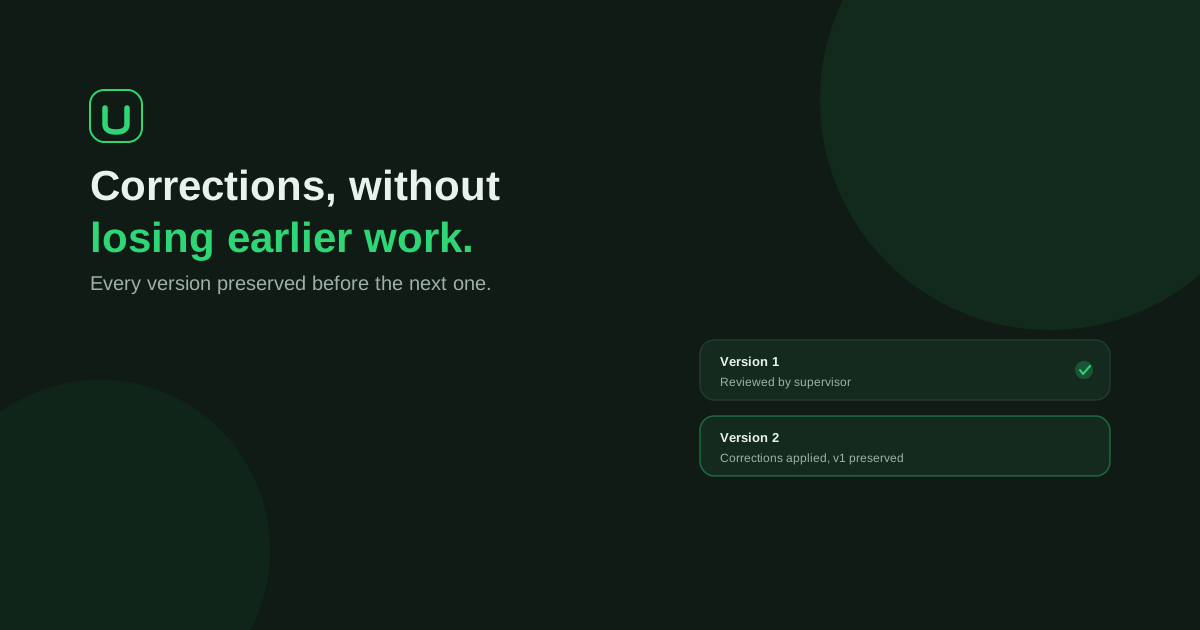
- Earlier versions are kept, so the draft that was reviewed is never overwritten. Check the current price and included correction allowance in the document workflow before payment.
UniDraft does not fill SIWES Form 8 or logbook signatures for you, and it cannot promise a grade or an approval. Your supervisor still decides that. What it removes is the file juggling. You can also check your own file first with the free formatting checker, no signup needed.
Sources
- Industrial Training Fund: SIWES guidelines (PDF), the ITF's document on the scheme and the roles of institutions and employers.
- Microsoft Support: Track changes in Word, explaining how insertions, deletions, and accept or reject work.