A computer science SIWES logbook should record what you actually did or observed, where your contribution began and ended, and how you know the outcome. You do not need to claim you built a production app every day. A small, specific entry about a network fault, a test case or a database query is worth more than an impressive-sounding line you cannot explain at your defence.
The examples below are illustrative entries, clearly invented for teaching. They are not records for you to copy. Every task, tool and result in your logbook must come from your own placement and be confirmed by your industry supervisor.
Your genuine daily entries are the evidence for the fuller report you submit later. UniDraft helps organise confirmed placement facts and instructions into an editable SIWES document. Start your Computer Science SIWES report and review the report workflow. Your official logbook, signatures and actual technical work remain separate responsibilities.
The short answer
- Use one pattern for every entry: task + system or tool + your role + result.
- Choose an honest verb. "Observed", "assisted", "performed under supervision" and "completed independently" mean different things, and your supervisor signs on that basis.
- Say how you know it worked: a ping reply, a passing test, a user confirming access, a query returning the expected row count.
- If it did not work, write the escalation or the unresolved status. That is a legitimate entry.
- Write the entry promptly, then obtain the required sign-off at the interval your supervisor and school agree.
- Never put passwords, client data or security weaknesses in the book.
What the logbook is for
The Industrial Training Fund (ITF) describes SIWES as a skills training programme that prepares students for the industrial work situation they will meet after graduation. In its scheme document, ITF lists the student's duties as recording all training activities and assignments in the logbook and completing Form 8, lists the institution's duty as supervising students and signing their logbooks, and says ITF vets, processes and verifies logbooks and Form 8. See the Sources section for the document.
That has a practical consequence. The logbook is an evidence record that other people check, not a diary and not a sales pitch. Your industry supervisor signs it, your institution's supervisor reads it, and your later report has to agree with it. Exact layout, number of entries and sign-off frequency differ by institution and department, so follow the logbook you were issued and ask your school SIWES coordinator if anything is unclear. If you are new to the whole process, start with how to fill your SIWES logbook, which covers the mechanics across departments.
A reliable daily-entry pattern
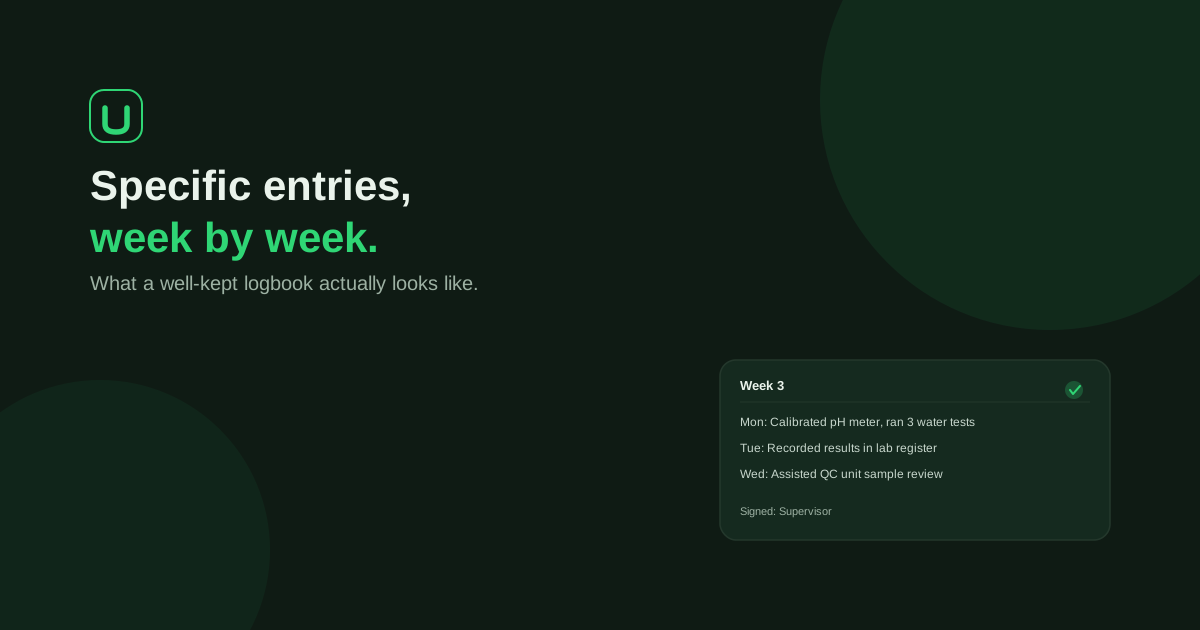
Use: task + system/tool + your role + result or observation. Add the date and unit your official logbook asks for.
Compare two lines about the same day. Weak: "Worked on network." Stronger: "Traced an accounts-office user's 'no internet' complaint to a loose patch cable at the switch, reseated it under the network officer's supervision, and confirmed connectivity with a ping to the gateway." The second names the problem, the device, your role and the check.
Choose the right verb for your role
The verb is where most logbook honesty is won or lost. Use these distinct role descriptions.
| Verb | Means | Example |
|---|---|---|
| Observed | You watched someone else do it | Observed the officer image a laptop with the standard OS build |
| Assisted | You did part of it, with help | Assisted in replacing a failed hard drive and reinstalling the OS |
| Performed under supervision | You did it while someone checked | Created a user account in the directory service with the administrator present |
| Completed | You did it yourself and it was checked afterwards | Wrote and tested a stored procedure reviewed by the team lead |
Choose the verb that accurately describes your role, not automatically the lowest one. Ask your supervisor to clarify uncertainty without understating or inflating your contribution.
Placement activity and the detail worth recording
| Placement activity you actually had | Detail worth recording |
|---|---|
| Help-desk support | Ticket type, diagnostic step you performed, resolved or escalated |
| Networking | Device or service, change you were authorised to make, how connectivity was checked |
| Software development | Assigned feature or bug, your code or review contribution, test outcome |
| Web development | Page or component, browser or device tested, what was fixed or added |
| Data or database work | Dataset or table, approved query or cleaning step, validation done without exposing private records |
| Testing | Feature tested, test cases and environment, defect observed, where it was reported |
| Cybersecurity | Approved training or supervised process only; no credentials, vulnerabilities or client information |
Illustrative entries by placement type
Each block below is an invented example for a placement of that type. Use it to see the level of detail, then write your own.
Software development
- Day entry (completed): "Fixed a bug in the customer registration form where an empty email field was accepted. Added a server-side check that returns an error message, then tested four inputs (empty, missing @, valid, duplicate) in the browser. Submitted the change for my mentor's code review."
- Day entry (observed): "Sat in on a code review of the payment module. Observed the reviewer request that database credentials be moved from the source file into environment variables. Noted why: secrets committed to a repository can be read by anyone with access to it."
- Day entry (Git): "Created a feature branch, committed the corrected validation, and opened a pull request. The reviewer asked for a clearer variable name; I renamed it and updated the request."
Web development
- Day entry: "Made the staff directory page responsive by replacing fixed pixel widths with a flexible grid. Checked it at phone, tablet and desktop widths in the browser's developer tools. The table still overflowed on the smallest width; noted it for tomorrow."
- Day entry (accessibility): "Added descriptive alt text to 12 images on the news page after my supervisor explained that screen-reader users rely on it. Checked the page again with the browser's inspector."
Networking
- Day entry: "Watched the network engineer assign a static IP address to the office printer. Recorded the purpose and authorised connectivity check without copying internal addresses or configuration."
- Day entry (troubleshooting): "Investigated slow internet in the finance office under supervision. Used ping to compare response times to the gateway and to an external site; the gateway replied quickly but the external site did not, so the network officer reported the fault to the internet service provider."
- Day entry (cabling): "Assisted in terminating a network cable with an RJ45 connector following the T568B wiring order, then tested it with a cable tester before it was fitted."
IT support and help desk
- Day entry: "Assisted a user whose laptop could not print. Checked that the printer showed as offline, restarted the print spooler service, and printed a test page. The user confirmed it worked and the ticket was closed."
- Day entry (escalation): "Received a ticket for a laptop that would not boot. Checked the power supply and the display cable, but the fault continued. Escalated to the senior technician, who found a failed drive. I recorded the symptoms in the ticket."
- Day entry (accounts): "Reset a staff member's email password using the admin console under the officer's supervision, after the officer verified the staff member's identity. Asked the user to change it at first login."
Data and database work
- Day entry: "Cleaned a copy of the monthly sales spreadsheet by removing 14 duplicate rows and converting date text into a single format. Kept the original file untouched and confirmed the row count matched the supervisor's expected total."
- Day entry (SQL): "Wrote a SELECT query with a JOIN and GROUP BY to total orders per branch, and ran it on the test database rather than the live one. Compared the result with a manual count for one branch and it matched."
- Day entry (backup): "Observed the scheduled nightly database backup. Learned the difference between a full and an incremental backup and how the restore test is run."
Cybersecurity (supervised or training only)
- Day entry: "Attended an awareness session on phishing given by the security officer. Learned to check the sender address and hover over links before clicking. Practised on three sample emails; identified two as suspicious."
- Day entry (access control): "Observed the review of user accounts for staff who had left the company. Noted that unused accounts should be disabled, not left active."
Notice what these entries avoid: no real server names, no real IP ranges, no passwords, no vulnerability details.
Testing and quality assurance
Testing is a very good source of specific entries, because a test has a case, an expected result and an actual result.
- "Executed six checkout test cases on the staging site. Five passed; one failed when the cart was empty, because the site allowed the order to proceed. Logged the defect in the team's tracker with the steps to reproduce."
- "Wrote three test cases for the login page: correct password, wrong password and empty fields. Ran them manually and recorded the outcome of each."
Do not invent a defect to make a day sound productive. "Ran all eight cases; all passed" is a valid, honest entry.
What if the work does not sound technical?
Many placements involve documentation, data entry, hardware handling or errands. Write them plainly and attach the computing skill they taught: "Entered 60 student records into the registry database and learned to spot duplicate matric numbers by sorting." Do not dress ordinary work up as engineering.
What to do in a slow or repetitive week
Orientation, reading internal documentation, shadowing staff and repeating a genuine operational task are legitimate activities. Name the document or process you were authorised to study and what it taught you. If you handled similar tickets, distinguish what varied: a different device, error message or user.
| Situation | Honest way to write it |
|---|---|
| Nothing assigned | "Read the network diagram provided by my supervisor and identified the router, switch and access points" |
| Same task daily | "Third day of imaging laptops; this time handled a driver mismatch on one model" |
| Only watched | "Observed the deployment; asked why a staging server is used before production" |
| Placement closed | Note the closure and inform your coordinator; do not fill the gap with imagined work |
Common mistakes and how supervisors flag them
- Copying a sample. Identical sentences appear across students and are easy to spot. Supervisors also notice tasks that do not fit the company.
- Inflated verbs. "Configured the firewall" from a first-week intern draws questions at the defence.
- Tool lists with no task. "Used Python, SQL, Git, Docker" says nothing about what you did.
- Overly perfect weeks. Every day a success, no faults, no waiting. Real work has dead ends.
- Backfilling. Weeks written from memory at the end read as vague, and dates often clash with what your supervisor remembers. Write the same day.
- Confidential material. Real client names, credentials and security flaws do not belong in a document that leaves the workplace.
Signatures and the supervisor
The industry supervisor signs to confirm your entries are a true record. Agree at the start how often that will happen and get the sign-off at that interval. Neither UniDraft nor anyone else should fill in or sign this for you; a signature is your supervisor's statement. If you are unsure what the final form and grading involve, read what SIWES Form 8 is and how SIWES is graded.
Carry the same facts into the report
Your SIWES report should explain and group the real activities in the logbook, not introduce projects you never recorded. A good habit is to tag each entry with a theme (support, networking, development) so grouping later is quick. Then follow the SIWES report structure to turn those themes into chapters. Because examiners often question the logbook directly, it also helps to read how to defend your SIWES report before you finish.
Once you have a draft, use the free formatting checker to see whether the .docx meets your school's font, spacing and margin rules, and browse the university format guides for yours. The submission checklist for IT reports lists what departments look for before accepting one. If supervisors ask for changes later, managing IT report corrections explains how to keep earlier versions.
If you have not secured a placement yet, finding a SIWES placement is the place to start, and what SIWES is covers the scheme itself.
Weekly logbook checklist
- Did I write each entry on the day, with the date and unit?
- Does each entry contain a task, a tool or system, my role and a result?
- Is every verb honest (observed, assisted, performed, completed)?
- Have I removed passwords, client data, internal addresses and security details?
- Do repeated tasks say what changed?
- Has the sign-off required for this period been obtained through the agreed institutional process?
- Could I explain every line to a panel without notes?
Where UniDraft fits in
Check the current price and included correction allowance in the document workflow before payment.
Turn the entries into your final report
Choose a few substantial tasks from the dated entries and expand each into purpose, your role, procedure, checks, outcome and learning. The Computer Science SIWES report guide provides a task-to-evidence worksheet and an original technical paragraph example. It covers the full report; the daily entries above remain the record of what actually happened. Carry the same role descriptions into your defence.
Sources
- ITF, SIWES scheme document (PDF): defines SIWES as skills training, and sets out the student duty to record training activities in the logbook, the institution duty to sign logbooks, and ITF vetting of logbooks.